
Your smartphone,
as your company extension.
A cloud IP telephony app for remote work and large-scale deployments. Developed in Japan.
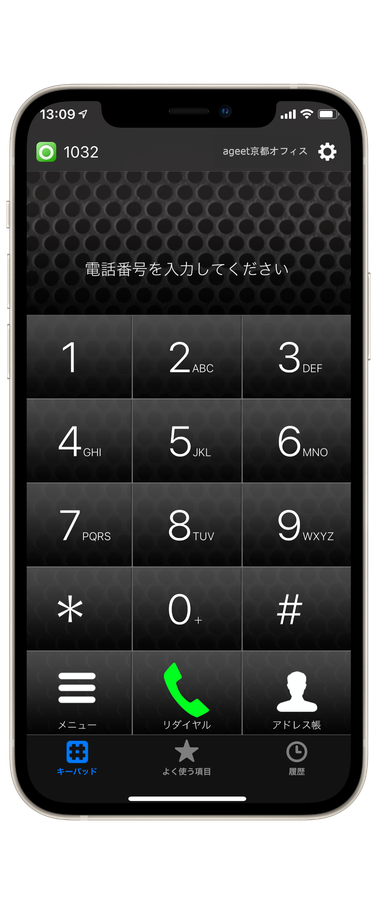
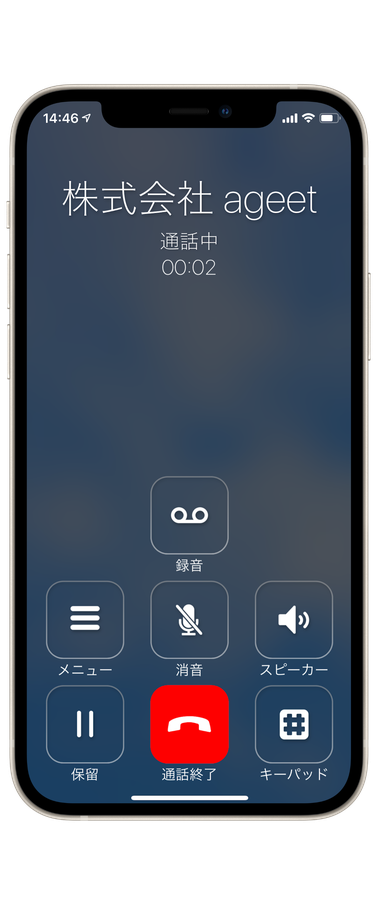
A voice platform for remote work and digital transformation
Remote work and digital transformation still depend on talking to people: exchanging information in real time, carrying the meaning that words alone miss, and holding a team together. AGEphone Cloud connects to the major IP-PBX systems, so there is no large equipment project and no installation cost. Installing it on a smartphone is enough — which makes it a good fit for BYOD programs, shared offices and working from home.

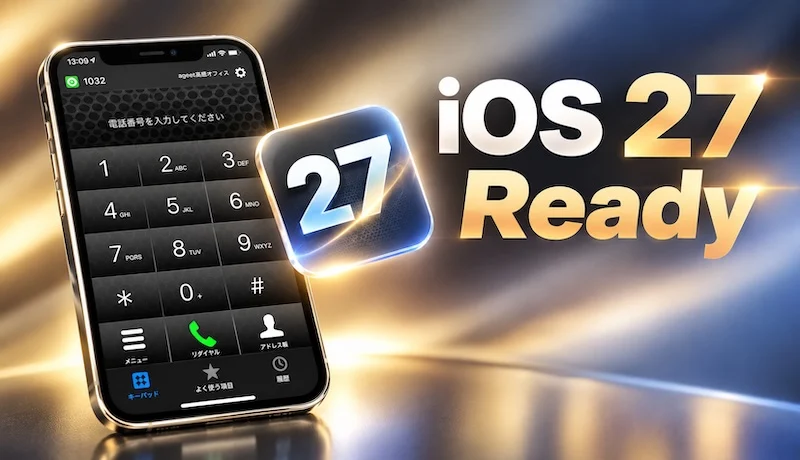
iOS 27 Ready
Core functionality has been verified on iOS 27, with no effect on the main features or on how the app is used. Support for the new capabilities introduced in iOS 27 is being added over time.
A financial institution moved
every branch to smartphone extensions.
Across all 76 branches, the customer retired its legacy PBX and moved to central cloud management as part of a digital transformation program, using NextGen's NX-C1000 for Enterprise IP-PBX and NX-B5000 for Enterprise SBC.
Source: NextGen press release, 29 July 2021

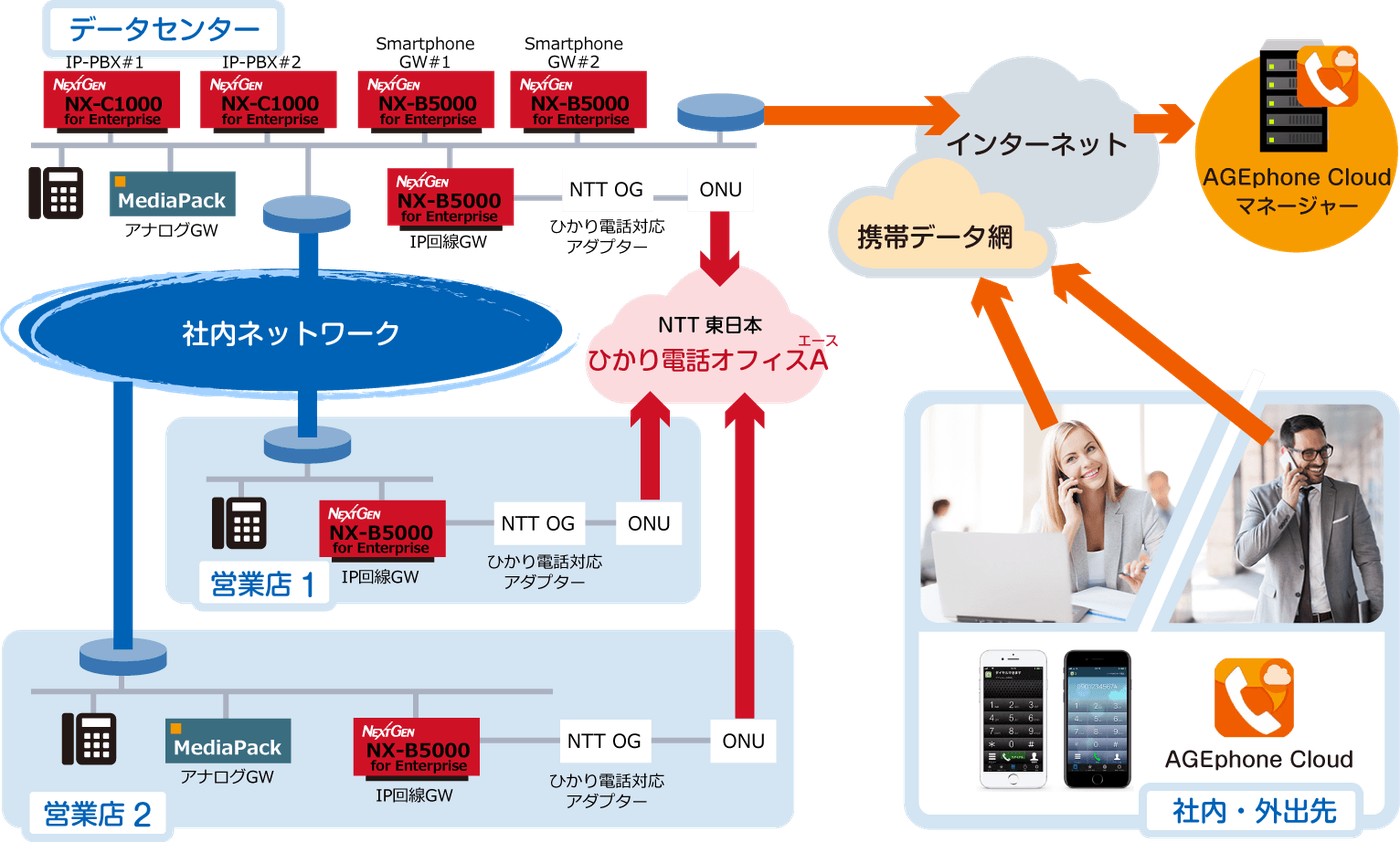
Central management
One place to manage the phone system, and room to add or remove capacity as needed.
Lower costs
Moving extensions onto company smartphones removed most desk phones and cut communication costs.
Answer from anywhere
With AGEphone Cloud, staff can take calls wherever they happen to be.
Office, on the road, at home.
All of it, on your extension.
A smartphone is enough to make and take calls on your usual company number. Freedom over where people work turns directly into how quickly the organization can move.
Pick the version for your platform
Enter the login details from your telephony service provider and the right configuration is delivered automatically (provisioning). You can skip the login and configure the app yourself, but that falls outside our support.
for Windows (commercial edition)
Paired with CallPicker, our free Chrome extension, a phone number on any web page becomes a one-click call.
for macOS (commercial edition)
for iPhone (commercial edition)
for Android (commercial edition)
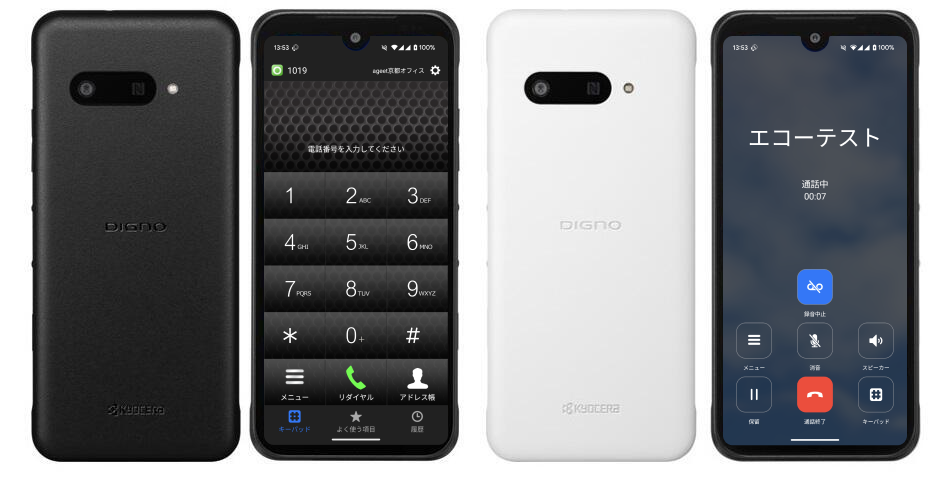
DIGNO SX4 support
Running AGEphone, our business voice application, on the DIGNO SX4 enterprise handset improves both day-to-day efficiency and security. Support for the DIGNO SX4 on Android 15 was added in December 2025.
Supported operating systems
| iPhone — officially supported | iOS 17.x–iOS 26.x (as of 24 February 2026) iOS 27 has been verified to work, which is a separate category from official support. |
|---|---|
| Android — officially supported | Android 12–16 (as of 16 April 2026) |
| Verified devices | iPhone: 22 models (also verified on iPad) / Android: 19 models. See the tables below. |
| About push notifications | The iPhone and Android editions require an IP telephony service that supports push notifications for incoming calls. Ask your telephony provider whether theirs does. |
| Android — known issue | Some problems have been reported on the AQUOS sense6, caused by the March 2023 security update and resolved by the system update of 30 May 2023. We may ask for your help in collecting logs (please write to us through the contact form). |
Verified iPhone models (22)
These are the models we have verified ourselves. Models not listed here may still work.
| Model | Carrier | Manufacturer | OS version | Notes |
|---|---|---|---|---|
| iPhone 13 | NTT docomo / au / Softbank | Apple | 17.X〜18.X | — |
| iPhone 13 Pro | NTT docomo / au / Softbank | Apple | 17.X〜18.X | — |
| iPhone 13 Pro Max | NTT docomo / au / Softbank | Apple | 17.X〜18.X | — |
| iPhone 13 mini | NTT docomo / au / Softbank | Apple | 17.X〜18.X | — |
| iPhone 14 | NTT docomo / au / Softbank | Apple | 17.X〜18.X | — |
| iPhone 14 Plus | NTT docomo / au / Softbank | Apple | 17.X〜18.X | — |
| iPhone 14 Pro | NTT docomo / au / Softbank | Apple | 17.X〜18.X | — |
| iPhone 14 Pro Max | NTT docomo / au / Softbank | Apple | 17.X〜18.X | — |
| iPhone SE(第3世代) | NTT docomo / au / Softbank | Apple | 17.X〜18.X | — |
| iPhone 15 | NTT docomo / au / Softbank | Apple | 17.X〜18.X | — |
| iPhone 15 Plus | NTT docomo / au / Softbank | Apple | 17.X〜18.X | — |
| iPhone 15 Pro | NTT docomo / au / Softbank | Apple | 17.X〜18.X | — |
| iPhone 15 Pro Max | NTT docomo / au / Softbank | Apple | 17.X〜18.X | — |
| iPhone 16 | NTT docomo / au / Softbank | Apple | 17.X〜18.X | — |
| iPhone 16 Plus | NTT docomo / au / Softbank | Apple | 17.X〜18.X | — |
| iPhone 16 Pro | NTT docomo / au / Softbank | Apple | 17.X〜18.X | — |
| iPhone 16 Pro Max | NTT docomo / au / Softbank | Apple | 17.X〜18.X | — |
| iPhone 16 e | NTT docomo / au / Softbank | Apple | 18.X | — |
| iPhone 17 | NTT docomo / au / Softbank | Apple | 26.X | — |
| iPhone 17 Air | NTT docomo / au / Softbank | Apple | 26.X | — |
| iPhone 17 Pro | NTT docomo / au / Softbank | Apple | 26.X | — |
| iPhone 17 Pro Max | NTT docomo / au / Softbank | Apple | 26.X | — |
Verified Android models (19)
These are the models we have verified ourselves. Models not listed here may still work.
| Model | Carrier | Manufacturer | OS version | Notes |
|---|---|---|---|---|
| Pixel4a (5G) | SIM Free | 12 | — | |
| Pixel5 | SIM Free | 13 | — | |
| Pixel5 | 楽天モバイル | 14 | — | |
| Pixel6 | SIM Free | 13 | — | |
| AQUOS wish2 | Y!mobile | SHARP | 12 | — |
| arrows We | NTT DOCOMO | 富士通 | 12 | — |
| DIGNO® SX2 | SIM Free | 京セラ | 12 | — |
| Pixel7a | SIM Free | 14/15 | — | |
| DIGNO® SX4 | SIM Free | 京セラ | 14/15 | — |
| DIGNO® SX4 | WiFi モデル | 京セラ | 14/15 | — |
| Pixel 8 | SIM Free | 14 | — | |
| Pixel 8a | SIM Free | 14 | — | |
| Pixel 9 | SIM Free | 14 | — | |
| Pixel 8a | SIM Free | 15 | — | |
| Pixel 9 | SIM Free | 15/16 | — | |
| Pixel 9a | SIM Free | 15/16 | — | |
| Pixel 10 | SIM Free | 16 | — | |
| Pixel 10a | SIM Free | 16 | — | |
| DuraForceEX | SIM Free | 京セラ | 15 | — |
An example: integration with JotForm
With cloud integration enabled, answering a customer call in AGEphone Cloud pops up a JotForm form with the caller's number and name already filled in. Pick the reason for the call, add your notes during or straight after the conversation, and the record is sent to the cloud service for whoever handles the next call. Combined with services such as Zapier and AirTable, the integration can go considerably further.
Using this feature requires a subscription to the premium service.
Secure, simple, efficient
Simple setup
Straightforward to configure, for administrators and users alike.
Strong security
Several safeguards for the day a device goes missing.
Works with our apps
Integration with the other applications takes another step out of daily work.
Low-power push
Calls arrive by push notification even when the app is closed.

Set up with a QR code
Provisioning keeps everything managed centrally in the cloud, so users never have to work through a complicated setup. Manual sign-in asks for only three things — tenant, user ID and password — and scanning a QR code finishes the job outright. The interface and manuals are in Japanese.

Security
- Hidden credentials (QR code sign-in only)
- Single sign-on
- Remote configuration update and lockout
- DR ready (SIP servers in geographically separate locations)
Everything business calling needs.

Close the app and still
catch the call that matters.
In a hotel on a business trip, or in transit. Extension calls reach you by push notification even when the app is not running. Battery use stays low while the phone waits, and with CallKit support on iOS you can answer straight from the lock screen.
Calling and operations
Call recording is included as standard. Recordings can later be put to use for AI transcription and for organizing your record of customer conversations.
Networking and quality
Integrations
Each cloud service requires its own subscription.
As demand for remote work grows, we are looking for partners
Register as a partner and we will issue a license you can redistribute through the cloud. Resellers receive partner pricing.